
If you want reliable power for your security camera, consider solar panels like the 5W Solar Panel with USB-C & Micro USB ports or the 4W Charger that supports both connections and offers 22% efficiency. For budget options, the 2W Charger works well, though slower. COCOCAM and the 2-Pack 5V panels provide adjustable mounts and weatherproof designs. Choosing the right wattage, compatibility, and durability ensures consistent energy. Explore these factors to find the perfect fit for your setup.
Solar Panel for Security Camera (2 Pack)
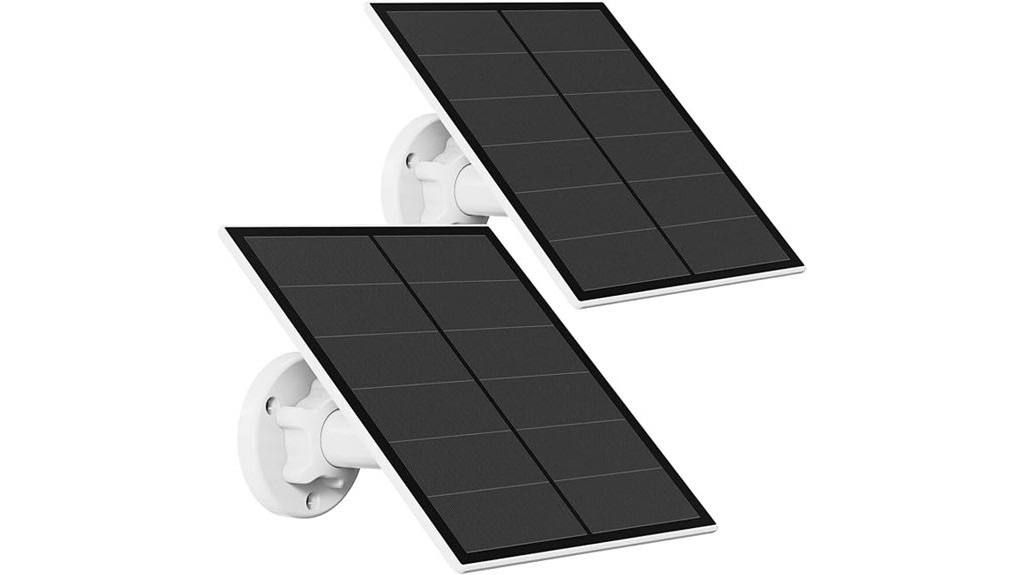
If you need a reliable solar panel that keeps your rechargeable battery security cameras powered without constant charging, this 2-pack solar panel set is a great choice. Designed for DC 5V cameras with micro USB or USB-C ports, it delivers stable 5W solar energy with 20% efficiency. You won’t have to worry about weather either—the IP65 waterproof rating and -4°F to 122°F operating range ensure consistent performance outdoors. Installation is simple thanks to the 360° adjustable bracket and 9.8ft cable, letting you position panels for optimal sunlight exposure. Just note, it’s not compatible with Arlo, Blink, Ring, or Google Nest cameras.
Best For: Users with DC 5V rechargeable battery security cameras (excluding Arlo, Blink, Ring, and Google Nest) who want a reliable, weather-resistant solar charging solution.
Pros:
- Provides stable 5W solar energy with high 20% efficiency for consistent camera power.
- IP65 waterproof rating and wide temperature range ensure durability in various outdoor conditions.
- 360° adjustable bracket and long 9.8ft cable allow easy installation and optimal sunlight positioning.
Cons:
- Not compatible with popular camera brands like Arlo, Blink, Ring, or Google Nest.
- Limited to cameras with micro USB or USB-C charging ports only.
- Only a 2-pack, which may be insufficient for users with multiple cameras or larger setups.
2W Solar Panel Charger for Security Cameras (2 Pack, White)
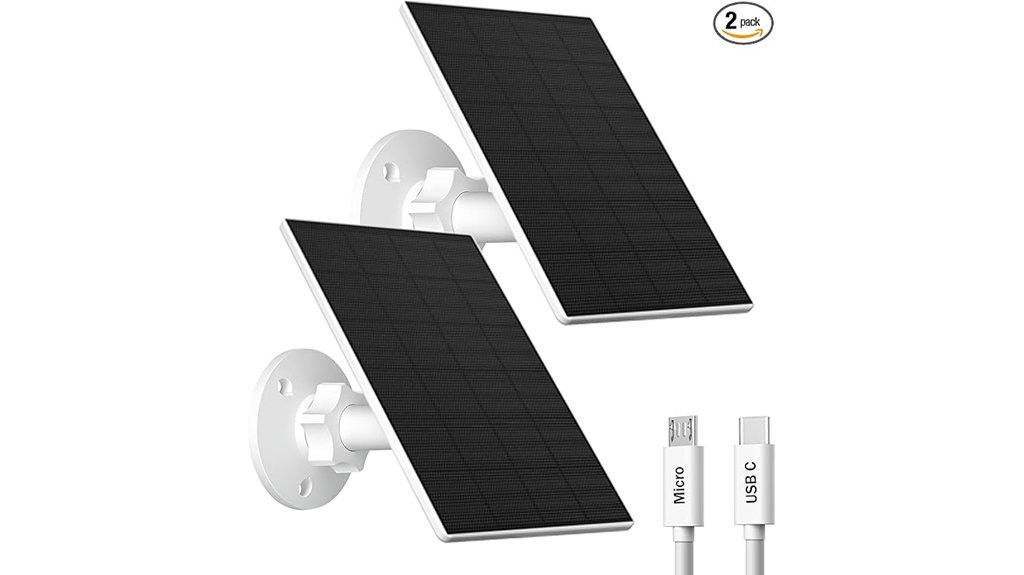
Choosing the W Solar Panel Charger for Security Cameras (2 Pack, White) makes sense when you need a reliable, weatherproof solution that keeps your rechargeable battery-powered cameras charged without hassle. These 2W panels use high-transmittance monocrystalline silicon for efficient sunlight conversion, ensuring continuous power under direct sun. With an IP65 waterproof rating, they withstand rain, snow, and extreme temperatures from -5℉ to 120℉, perfect for outdoor use. The included adjustable mounts and 7.2ft cables offer flexible installation. Just confirm your cameras use Micro USB or USB-C ports, as this charger isn’t compatible with Arlo, Blink, Ring, or similar plug-in models.
Best For: Outdoor security camera users with rechargeable battery-powered cameras that have Micro USB or USB-C ports looking for a durable, weatherproof solar charging solution.
Pros:
- Efficient high-transmittance monocrystalline silicon solar panels ensure continuous charging under direct sunlight.
- IP65 waterproof rating and wide operating temperature range (-5℉ to 120℉) provide reliable year-round outdoor use.
- Adjustable mounts and long 7.2ft cables allow flexible installation options for optimal sunlight exposure.
Cons:
- Not compatible with popular camera brands like Arlo, Blink, Ring, Google Nest, or Kasa.
- Limited to cameras with rechargeable batteries and Micro USB or USB-C charging ports only.
- Solar panel power output is relatively low (2W), which may result in slower charging under less ideal sunlight conditions.
COCOCAM solar panel
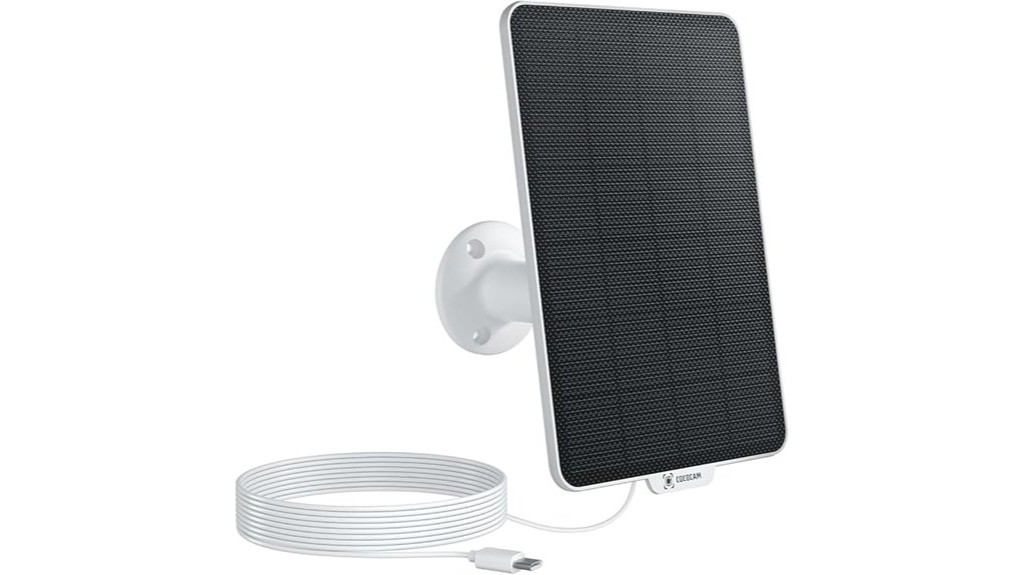
The COCOCAM solar panel is ideal for users with DC 5V rechargeable battery security cameras that feature a Type-C interface. You’ll find it perfectly compatible with Cococam battery cameras and other battery-powered models using the Cloudedge app. Installation is a breeze—just place the panel in a sunny spot and connect it to your camera, no complicated setup needed. Its 360° adjustable bracket lets you optimize the angle for maximum sunlight absorption. Built tough with IP66 waterproofing, it stands up to harsh weather. By choosing COCOCAM, you’re also supporting a greener, eco-friendly lifestyle through solar energy.
Best For: Users with DC 5V rechargeable battery security cameras featuring a Type-C interface seeking an easy-to-install, durable solar charging solution.
Pros:
- Effortless installation with no complex setup required.
- 360° adjustable bracket for optimal sunlight absorption.
- Durable IP66 waterproof design for reliable outdoor use.
Cons:
- Only compatible with battery-powered cameras, not plug-in models.
- Limited to cameras using the Cloudedge app or Cococam battery cameras.
- May require placement in consistently sunny locations for optimal performance.
4W Solar Panel Charger for Security Cameras with Type C & Micro USB

You’ll appreciate the W Solar Panel Charger if you need reliable outdoor power for your security cameras, especially since it supports both Type C and Micro USB connections. Built with high-efficiency monocrystalline silicon and ETFE material, it boasts a 22% conversion rate, outperforming typical panels. Its compact 4.6×6.7-inch size and IP65 waterproof design ensure durability in harsh weather from -4°F to 140°F. Installation is simple with a 360-degree adjustable mount, letting you capture optimal sunlight. Plus, the product includes a swivel stand, screw kit, and Android adapter, backed by responsive customer support for a smooth experience.
Best For: Outdoor security camera users seeking a durable, efficient solar charger with versatile Type C and Micro USB compatibility.
Pros:
- High 22% power conversion rate with ETFE and monocrystalline silicon materials.
- IP65 waterproof and corrosion-resistant design suitable for extreme temperatures.
- Easy installation with 360-degree adjustable mount and included accessories for immediate use.
Cons:
- Not compatible with plug-in cameras that lack batteries.
- Limited product life span of 4-5 years compared to some other solar panels.
- Small size (4.6×6.7 inches) may limit power output for larger or multiple devices.
5W Solar Panel for Security Camera with USB-C & Micro USB Ports, IP65 Waterproof, Adjustable Mount
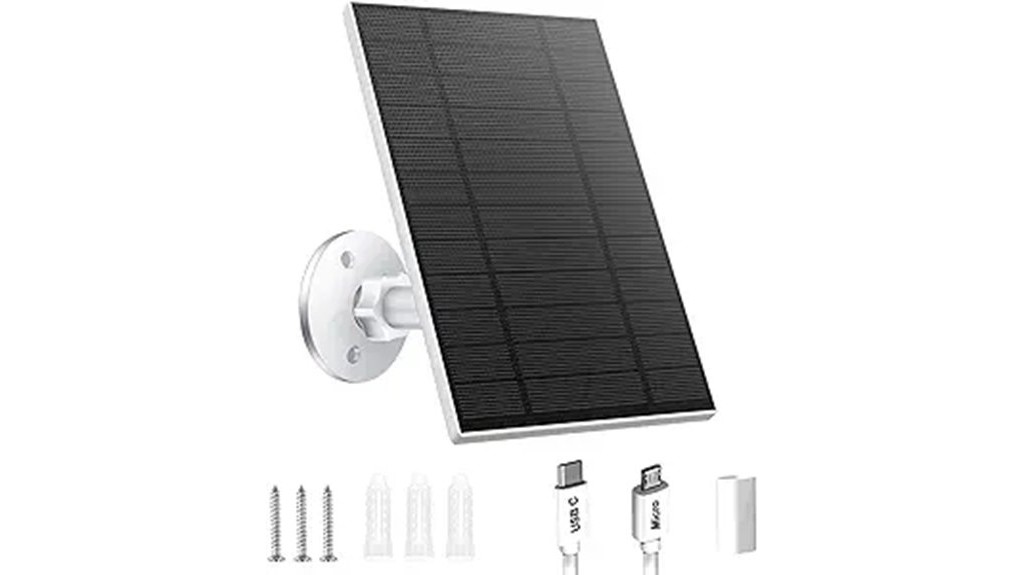
If your security camera relies on rechargeable batteries and supports USB-C or micro USB charging, this 5W solar panel offers a reliable power solution. It’s designed specifically for DC 5V outdoor cameras but isn’t compatible with plug-in models like Eufy or Arlo. The IP65 waterproof rating and -40℉ to 185℉ operating range ensure it withstands harsh weather. You’ll appreciate the 360° adjustable mount and 9.8ft cable for perfect sun exposure and flexible placement. Lightweight and easy to install with included screws, it delivers continuous solar power efficiently. Plus, it comes with a 30-day Amazon return policy for peace of mind.
Best For: Outdoor security camera owners who use rechargeable battery cameras with USB-C or micro USB charging ports and need a durable, weather-resistant solar power solution.
Pros:
- IP65 waterproof rating and wide temperature tolerance ensure reliable outdoor use in various weather conditions.
- 360° adjustable mount and 9.8ft cable allow for flexible placement and optimal sunlight exposure.
- Compatible with both USB-C and micro USB ports, supporting a range of DC 5V rechargeable security cameras.
Cons:
- Not compatible with popular plug-in camera brands like Eufy, Arlo, Blink, Ring, Google Nest, or Kasa.
- Provides only 5W output, which may not be sufficient for cameras with higher power demands.
- Limited to cameras with built-in rechargeable batteries, excluding many standard wired security cameras.
Factors to Consider When Choosing a Solar Panel for Camera
When choosing a solar panel for your camera, you’ll want to ensure it’s compatible with your specific model and delivers enough power output to keep it running smoothly. Don’t forget to check for weatherproof features and durability to withstand outdoor conditions. Also, consider installation options and cable length to make setup easy and convenient.
Compatibility With Camera Models
Although selecting a solar panel might seem straightforward, ensuring compatibility with your camera model is crucial for optimal performance. First, check your camera’s charging port type—whether it uses Micro USB or USB-C—so you pick a compatible solar panel. Many panels clearly state which brands they don’t support, including popular ones like Arlo, Blink, Ring, and Google Nest, so read these details carefully. If your camera uses rechargeable batteries, confirm the panel supports this setup, as panels made for plug-in cameras won’t work properly. Always review product specs for compatibility info since some panels are tailored for specific brands or models. Finally, verify the panel’s power output matches your camera’s energy needs to keep it running smoothly without interruption.
Solar Panel Power Output
Choosing the right solar panel power output plays a vital role in keeping your camera charged and operational. Solar panels for cameras usually range from 2W to 5W, with higher wattage panels providing more stable and continuous power. Opting for a 5W panel reduces how often you’ll need to recharge or replace batteries, especially in varying sunlight conditions. Look for high-efficiency monocrystalline silicon panels, which convert sunlight to energy at around 20-22%, maximizing power output. Also, consider the panel’s operating temperature range to ensure consistent performance in your environment. To get the most out of your solar panel, choose models with adjustable brackets and extended cables, so you can position them optimally for sunlight exposure, enhancing the charging efficiency of your camera system.
Weatherproof and Durability
Since your camera will face the elements daily, you’ll want a solar panel that’s both weatherproof and durable. Start by choosing one with at least an IP65 waterproof rating to handle rain and snow without losing function. Look for panels made from tough materials like ETFE or high-efficiency monocrystalline silicon—they resist harsh weather and last longer. Ensure the panel operates efficiently in extreme temperatures, ideally from -40°F to +185°F, so it keeps charging regardless of weather. Selecting a solar panel with a proven lifespan of 4-5 years guarantees dependable performance over time. Prioritize these features to protect your camera’s power source and maintain consistent energy harvesting outdoors, even in challenging conditions.
Installation Flexibility Options
Three key installation flexibility features can make setting up your solar panel for a camera much easier and more effective. First, look for adjustable mounting brackets that offer 360° rotation, so you can position the panel to capture maximum sunlight all day. Second, choose panels with multiple mounting options like screws and brackets, allowing you to install them on walls, roofs, or other surfaces without hassle. Third, ensure the setup is straightforward, requiring minimal tools to save you time and effort during installation. Also, verify the panel matches your camera’s power type, such as Micro USB or USB-C, for a seamless connection. These features together give you the flexibility to place and connect your solar panel wherever it works best.
Cable Length and Type
A crucial factor to consider when picking a solar panel for your camera is the cable length and type. Longer cables, like 7.2ft or 9.8ft, let you place the panel to capture optimal sunlight, avoiding shade from trees or structures. Make sure the cable matches your camera’s charging port—whether micro USB or USB-C—to ensure seamless connection and reliable charging. Also, check if the cable is included with the panel and if its length suits your setup. Don’t overlook cable durability; weather-resistant materials protect against outdoor elements and maintain performance over time. By paying attention to these details, you’ll enhance your solar panel’s effectiveness and ensure your camera stays powered without frequent adjustments or replacements.
Charging Efficiency and Speed
Beyond cable length and type, charging efficiency and speed play a major role in choosing the right solar panel for your camera. Panels with high conversion rates—20% or more—use sunlight more effectively, ensuring faster charging. Most security camera solar panels output between 2W and 5W, directly affecting how quickly your camera’s battery recharges. Opt for monocrystalline silicon panels, as they absorb sunlight better and boost charging efficiency compared to polycrystalline ones. Keep in mind, weather, sunlight angle, and cable length impact performance, so position your panel for optimal exposure. A consistent solar energy supply can keep your camera charged all day, reducing or even eliminating the need for frequent battery swaps. Focusing on these factors helps you maintain reliable power for your security setup.
Operating Temperature Range
When you choose a solar panel for your camera, you’ll want to pay close attention to its operating temperature range. This range, typically from -40°F to 185°F, ensures your panel works effectively in various weather conditions. Panels with a wider temperature tolerance handle extreme climates better, maintaining stable charging whether it’s freezing cold or scorching hot. Remember, cold temperatures can reduce energy conversion efficiency, while excessive heat might cause overheating, impacting performance and lifespan. By selecting a panel designed for the temperature extremes in your area, you’ll boost reliability and durability. So, consider your location’s seasonal changes and choose a solar panel that meets those demands to keep your camera powered consistently all year round.
Warranty and Support Services
Although solar panels often come with robust features, you should pay close attention to the warranty and support services offered by the manufacturer. A longer warranty period signals the company’s confidence in the panel’s durability, giving you peace of mind. Look for efficient customer support that responds within 24 hours—quick help can make installation and troubleshooting far less stressful. A 30-day return policy also protects your purchase, allowing you to test compatibility risk-free. Don’t overlook additional resources like installation guides and troubleshooting tips, especially if you’re new to solar tech. Finally, check reviews to see how well the manufacturer stands by their product and supports customers. These factors ensure you get reliable power and solid backup when you need it most.